Short answer: start with the official Filesystem + Git + Fetch reference servers, add GitHub's official remote MCP server for repo/PR/CI work, then add one specialist (Context7 for live docs, Playwright for browsers, or Brave Search for research). If you need many tools without wiring a dozen local processes, use a gateway like MCP360. Test every server with the free MCP Server Tester before you trust it.
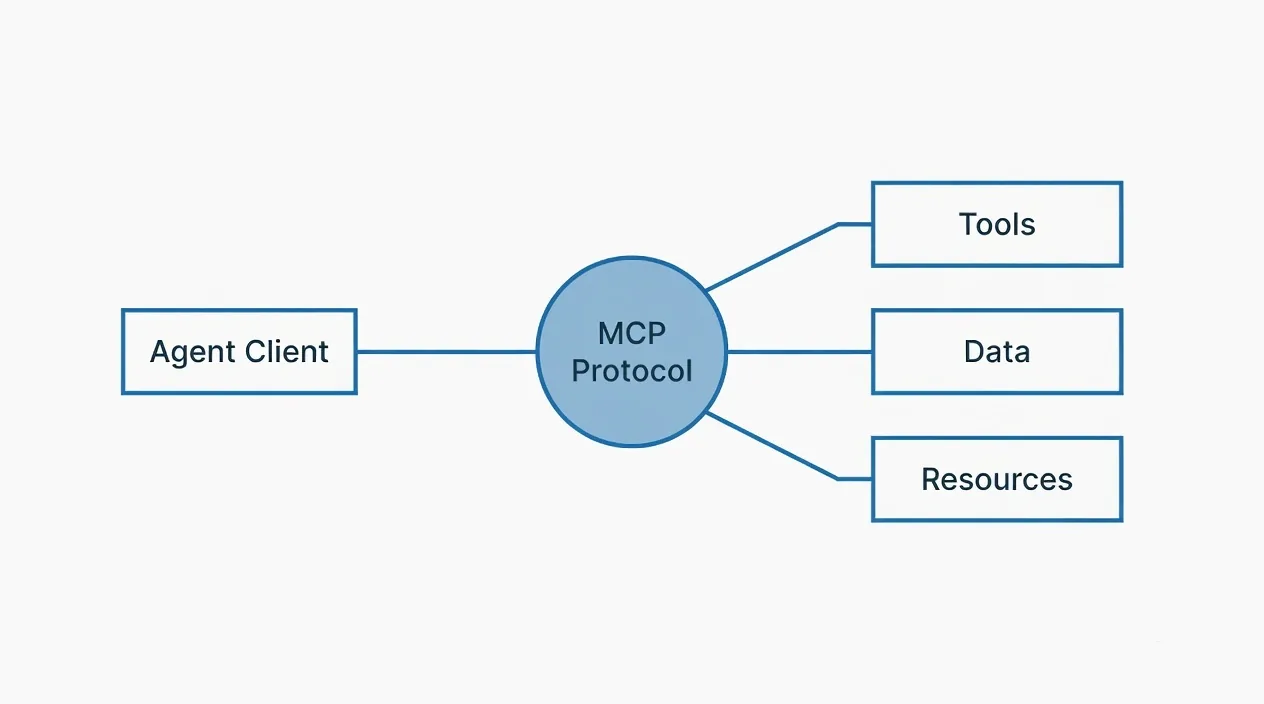
How MCP servers work
An MCP server exposes tools — functions an AI agent can discover and call — over stdio (local process) or HTTP (remote endpoint). The agent sends a JSON-RPC tools/list request, receives names and JSON Schema inputs, then calls tools with tools/call. Capability negotiation means any compliant client can use any compliant server without custom glue code.
That plug-and-play design is why the ecosystem exploded. It also means a bad server can hang your agent, bloat context with noisy schemas, or open security holes. Before you add a server, run it through the MCP Server Tester (initialize + tools/list only). For the full protocol, use our MCP server testing guide. If you are still deciding when MCP beats a plain API, read MCP vs API.

How we ranked these servers
This is not a marketplace paid list. A server made the cut only if it cleared all five gates:
- Maintainer clarity — official MCP reference, named vendor, or a community repo with recent commits and a real issue tracker.
- Install path documented — npx, uvx, Docker, or remote HTTP with a public config example.
- Developer job fit — solves a recurring coding/agent task (files, git, docs, browser, search, DB), not a demo toy.
- Transport honesty — stdio vs HTTP is explicit; remote servers do not pretend to be "local only."
- Testability — you can hit
initialize/tools/listand get a valid schema without a sales call.
We skip abandoned repos, "1,000+ tools" dump directories with no quality filter, and anything that requires pasting a personal token into an unreviewed binary without a source tree.
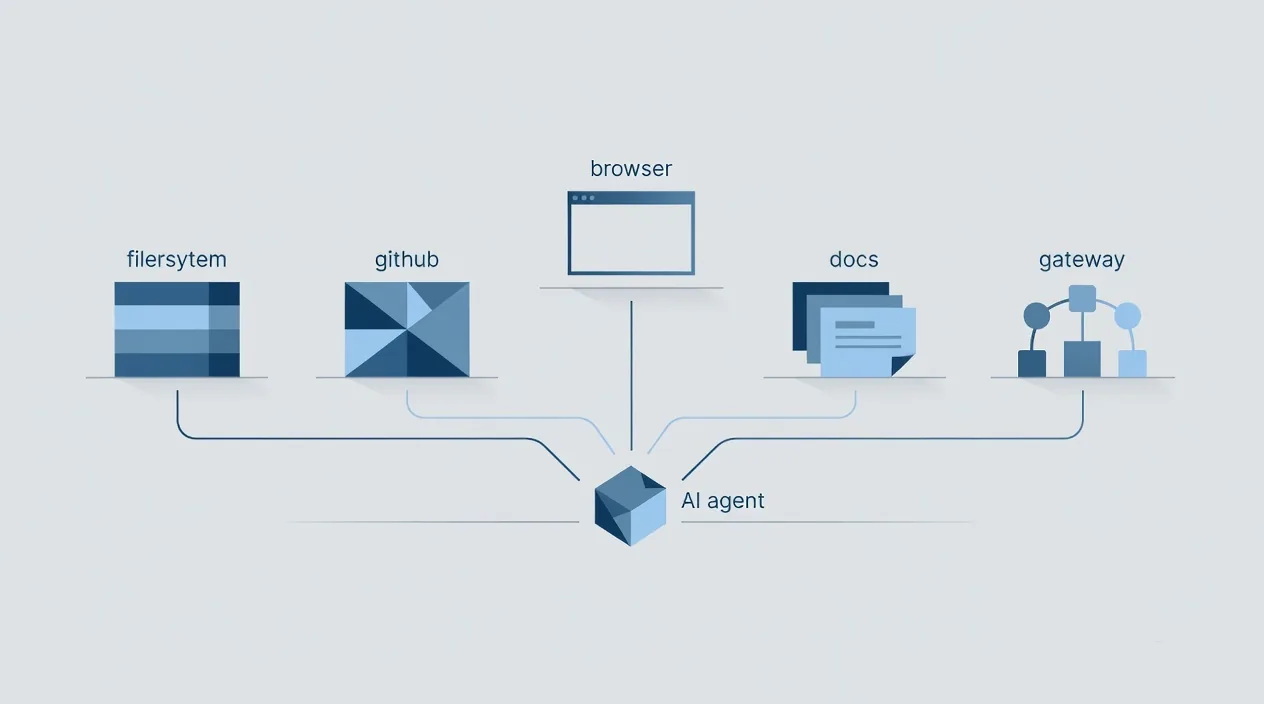
Official reference servers
The modelcontextprotocol/servers repo holds actively maintained reference servers. They are educational examples first — stable and the fastest way to prove your client works — not full production SaaS. Spec and protocol docs live at the Model Context Protocol site.
Filesystem
Secure file read/write with configurable allowed directories. Install this first: it proves your client works and lets the agent read a project without paste-spam.
npx -y @modelcontextprotocol/server-filesystem /path/to/your/projectBest for: codebase Q&A inside one repo.
Watch for: path-based ACL only — never point it at your entire home directory.
Git
Read and search Git history, diffs, and branches. Python package via uvx.
uvx mcp-server-git --repository /path/to/your/repoBest for: PR prep, "what changed," branch archaeology.
Watch for: write ops (commit/push) exist — prefer read-only for unattended agents.
Fetch
Fetches a URL and converts HTML into LLM-friendly text. No JS execution.
npx -y @modelcontextprotocol/server-fetchBest for: one-off "read this page."
Watch for: SPAs return empty shells — use Playwright for client-rendered apps.
Memory
Knowledge-graph style persistent memory across sessions.
npx -y @modelcontextprotocol/server-memoryBest for: long-running agent projects that keep re-explaining the same context.
Watch for: local JSON store — back it up if you depend on it.
Sequential Thinking
Structured multi-step reasoning scratchpad inside the tool-call loop.
npx -y @modelcontextprotocol/server-sequentialthinkingBest for: hard multi-step problems where the model rushes answers.
Watch for: extra latency — skip it for trivial tasks.
Time
Timezone and relative-time helpers.
npx -y @modelcontextprotocol/server-timeBest for: scheduling language ("next Tuesday 3pm IST").
Everything
Reference test server exposing prompts, resources, and tools. Not for production agents — perfect for client debugging with MCP Inspector.
npx -y @modelcontextprotocol/server-everythingVendor-maintained servers
GitHub (official)
GitHub's own server: github/github-mcp-server. Repos, issues, PRs, Actions, code security. Remote HTTP for VS Code / Claude / Cursor, or local Docker with a PAT.
// Remote HTTP (preferred when your host supports it)
{
  "servers": {
    "github": {
      "type": "http",
      "url": "https://api.githubcopilot.com/mcp/"
    }
  }
}

// Local Docker
{
  "mcpServers": {
    "github": {
      "command": "docker",
      "args": ["run", "-i", "--rm", "-e", "GITHUB_PERSONAL_ACCESS_TOKEN", "ghcr.io/github/github-mcp-server"],
      "env": { "GITHUB_PERSONAL_ACCESS_TOKEN": "YOUR_TOKEN" }
    }
  }
}
Use --toolsets (repos, issues, pull_requests, actions, code_security) to cut unused tools and shrink context. Minimum-scope PATs only.
Brave Search (official)
Official search server: brave/brave-search-mcp-server. Ranked web/local results via Brave Search API.
npx -y @modelcontextprotocol/server-brave-search
# requires BRAVE_API_KEY
Best for: open-ended research.
Watch for: free tier caps (~2k queries/month) — fine for dev, not unlimited prod traffic.
Community servers worth keeping
Context7 (Upstash)
Context7 injects up-to-date, version-specific library docs and examples into the agent — the antidote to hallucinated APIs from stale training data.
npx -y @upstash/context7-mcpBest for: coding agents on fast-moving frameworks. Pairs with the AI Code Reviewer for API-misuse catches.
Playwright (Microsoft)
Playwright MCP drives real browsers with accessibility-tree tools (navigate, click, type, screenshot, extract). Handles JS-rendered apps Fetch cannot see.
npx -y @playwright/mcp@latest
Best for: SPA scraping, UI checks, visual bug capture.
Watch for: heavy CPU/RAM — do not put it in a tight loop; prefer Fetch for static HTML.
Firecrawl
Web→markdown tuned for LLMs, with JS rendering and boilerplate stripping. Stronger than Fetch for bulk docs; lighter than full Playwright for many crawl jobs. Requires an API key from the vendor.
Best for: RAG ingestion and doc packs without shipping raw HTML into context.
PostgreSQL (community)
The old official Postgres reference is archived. Community forks (for example Postgres MCP Pro lineages linked from the archived tree) offer read-only query + schema inspection. Default to read-only against non-prod or tightly scoped roles.
Watch for: never hand a prod DB write credentials to an agent without hard guardrails — over-privileged tokens are a top MCP risk pattern.
MCP360: when you want a gateway, not twelve processes
MCP360 is a unified MCP gateway and tool marketplace: one connection from your agent host into a large catalog of production-oriented tools, plus room for custom integrations. Use it when the pain is no longer "I need GitHub" but "I am drowning in local MCP processes, auth configs, and tool-list bloat."
- One wire instead of many — reduce stdio sprawl and per-server secret juggling.
- Catalog + custom path — start from prebuilt tools; extend when your internal API is the missing piece.
- Still test the endpoint — gateway or not, hit MCP Server Tester on the URL you actually configure.
MCP360 does not replace the official reference servers for learning the protocol. It replaces the "install everything locally" phase once your agent needs breadth. If you only need Filesystem + GitHub, stay local. If you need dozens of SaaS actions behind one policy boundary, evaluate a gateway.
Related open work and community packaging often points at gateway-style repos such as unified MCP gateways on GitHub — always verify the exact package name, auth model, and latest docs on mcp360.ai before you ship credentials.
Quick comparison
| Server / layer | Maintainer | Transport | Install | Best for |
|---|---|---|---|---|
| Filesystem | Official MCP | stdio | npx | Project file access |
| Git | Official MCP | stdio | uvx | History and diffs |
| Fetch | Official MCP | stdio | npx | Simple page reads |
| Memory | Official MCP | stdio | npx | Cross-session memory |
| Sequential Thinking | Official MCP | stdio | npx | Hard multi-step reasoning |
| Time | Official MCP | stdio | npx | Timezones / relative time |
| GitHub | GitHub | HTTP / Docker | Remote or Docker | Repos, PRs, CI/CD |
| Brave Search | Brave | stdio | npx + API key | Live web search |
| Context7 | Upstash | stdio / HTTP | npx | Current library docs |
| Playwright | Microsoft | stdio | npx | Browser automation |
| Firecrawl | Community / vendor | HTTP | API key | Bulk web→markdown |
| PostgreSQL (community) | Community | stdio | npx | Read-only DB explore |
| MCP360 | MCP360 | HTTP gateway | Hosted connection | Many tools, one wire |
Starter stacks by job
Do not install the whole table. Match the job:
- Local coding agent: Filesystem + Git + Context7 (+ Sequential Thinking only when tasks are hard).
- GitHub-heavy workflow: GitHub official (toolsets trimmed) + Filesystem + Fetch.
- Research / competitive intel: Brave Search + Fetch + Firecrawl.
- UI / SPA work: Playwright + Filesystem (skip Fetch for the same URLs).
- Breadth without process hell: MCP360 gateway + keep local Filesystem for the repo on disk.
Five servers (or one gateway + two locals) covers most real work. Past ~10 tool providers, tool-selection quality usually drops because schemas crowd the context window.
Where to find more (and what to ignore)
- MCP Registry — canonical directory.
- modelcontextprotocol/servers — references + links out; archived servers moved aside on purpose.
- mcp.so and mcpservers.org — large catalogs; treat as leads, not endorsements.
- MCP360 — gateway + marketplace path when local sprawl hurts.
For every candidate: last commit, open issues, license, and a live tools/list via the tester. Ignore star-count theater.
Security gates (non-optional)
- Read the source or the vendor security page before first connect.
- Pin versions in config; floating
latestis how surprise breakages land on Friday. - Test in isolation with MCP Server Tester — initialize + tools/list only.
- Watch tool poisoning — malicious descriptions can smuggle instructions into the model. Prefer known maintainers.
- Minimum-scope secrets — GitHub fine-grained PATs, read-only DB roles, rotatable API keys. Never commit tokens.
- Separate profiles — personal browsing Playwright ≠ prod deploy credentials.
Deep checklist: How to test an MCP server.
Build your own when nothing fits
Official SDKs cover TypeScript, Python, and several other languages. Pattern: name + description + JSON Schema inputs, implement list/call, verify with npx @modelcontextprotocol/inspector, ship stdio or HTTP. The Prompt-to-Agent Scaffold can stub tool shapes from a plain-English brief before you wire real side effects.
Frequently asked questions
| Question | Answer |
|---|---|
| Are official reference servers production-ready? | They are stable educational references, not full SaaS. Fine for dev and many local workflows; prefer vendor servers or hardened community builds for critical prod paths. |
| stdio vs HTTP — which should I pick? | stdio = local process your client spawns. HTTP = remote endpoint. stdio is simplest on a laptop; HTTP wins for shared, hosted, or gateway setups (including MCP360). |
| How many servers should one agent load? | As few as possible. Five well-chosen servers (or one gateway + a couple locals) beats fifteen half-used ones. |
| What is MCP360 and do I need it? | A unified MCP gateway/marketplace. You need it when multi-server ops and auth sprawl hurt more than a single integration. You do not need it to learn MCP or to run Filesystem + GitHub. |
| Which clients speak MCP? | Claude Desktop, Cursor, VS Code (Copilot), Windsurf, and custom agents via official SDKs. Confirm your host's current MCP config schema before copy-pasting JSON from older blog posts. |
| Where did Postgres/Slack/Puppeteer references go? | Many early references were archived. Use vendor or maintained community replacements and verify install paths on the current docs, not 2024 screenshots. |
The ecosystem will keep moving. The servers above earn a place because a named maintainer ships them, the install path is public, and you can test them in minutes. Keep the count low, pin versions, and put every new endpoint through the MCP Server Tester before your agent trusts it. New to agents overall? Start with what an AI agent is and when MCP beats a plain API.